
Fold, step by step, with a sample company
Five steps with screenshots of the app. The screenshots show the app in Spanish. The data is that of “Transportes de ejemplo” (sample transport company), the made-up company that comes with Fold so you can try it without uploading anything. The questions and answers are the ones that appeared on screen.
-
A question, in your own words
You write it the way you would ask a colleague. Fold looks in the rate sheet and answers with the figure exactly as it is in the file.
- Question
- “Precio de Barcelona a Girona” (Price from Barcelona to Girona)
- Fold answers
- “De Barcelona a Girona son 185,00 € (Hasta kg: 24000).” (From Barcelona to Girona it is €185.00 (Up to kg: 24000).)
- Under the answer
- “Respuesta directa de tus archivos · EJEMPLO-TARIFAS.xlsx › TARIFAS › fila 2” (Direct answer from your files · EJEMPLO-TARIFAS.xlsx › TARIFAS › row 2)
Available
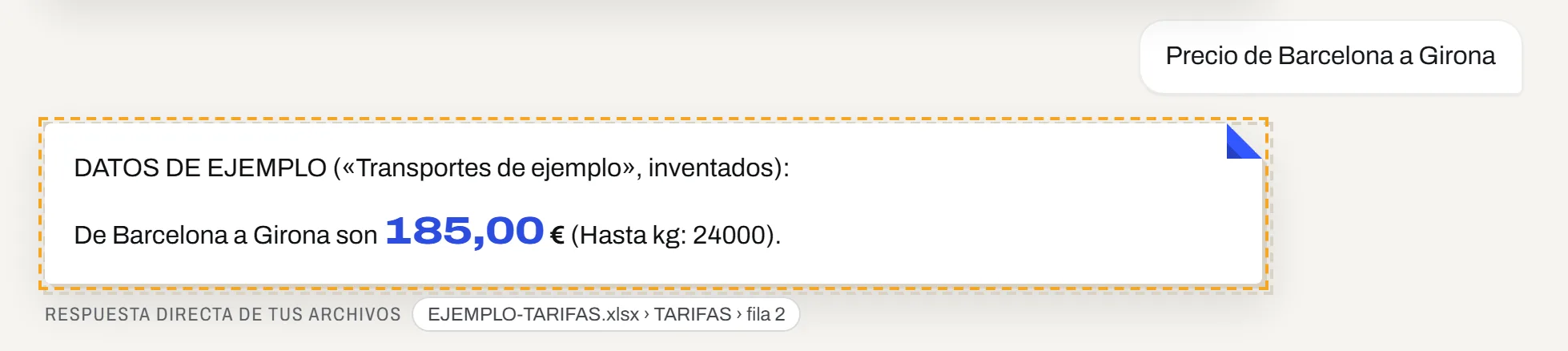
Screenshot of the app, in Spanish, with the sample company. Made-up data; the dashed border and the “Datos de ejemplo” (Sample data) label are added by Fold. -
A search in the trips
By customer or by carrier. Fold lists what it finds, row by row. And if what you ask for is not there, it says so.
- Question
- “Busca el cliente Ferrer” (Find the customer Ferrer)
- Fold answers
- “Hay 3 resultados: el 01/09/2026, Barcelona - Girona para Ferrer Alimentació con Gallart: venta 185,00 €, compra 150,00 €. El 04/09/2026, Barcelona - Lleida […]. El 15/09/2026, Girona - Figueres […].” (There are 3 results: on 01/09/2026, Barcelona - Girona for Ferrer Alimentació with Gallart: sale €185.00, purchase €150.00. On 04/09/2026, Barcelona - Lleida […]. On 15/09/2026, Girona - Figueres […].)
- Under the answer
- EJEMPLO-VIAJES.xlsx › VIAJES › rows 2, 4 and 7
- Another question
- “Precio de Barcelona a Sevilla” (Price from Barcelona to Seville)
- Fold answers
- “No está en vuestras tablas (origen «Barcelona», destino «Sevilla»).” (It is not in your tables (origin “Barcelona”, destination “Sevilla”).)
Available
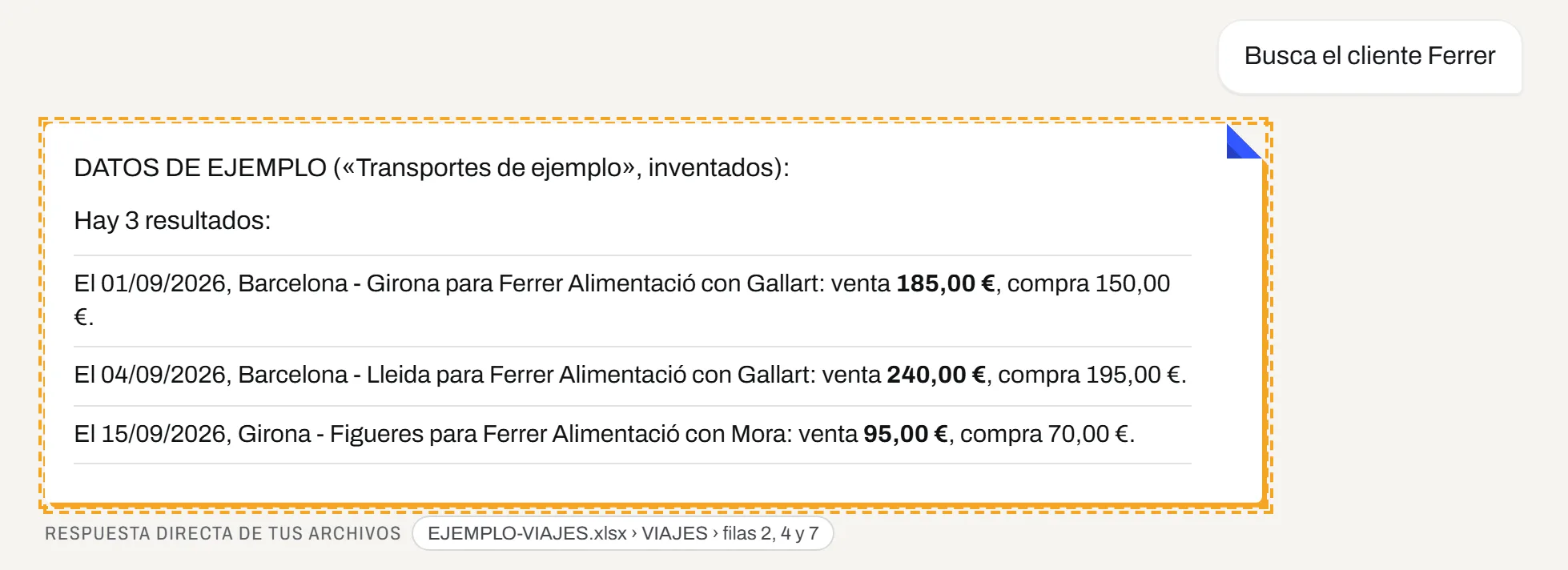
Screenshot of the app, in Spanish, with the sample company. Made-up data. -
Which file and row it comes from, and how recent it is
With your own files, every answer also carries the date the source was last read. Direct lookups do not use up the plan’s questions.
- Source
- Viajes septiembre.xlsx › VIAJES › rows 2, 4 and 7
- Date of the data
- “Viajes septiembre.xlsx: leído 5/10 · 11:38” (read 5/10 · 11:38)
- Cost
- “Sin coste de preguntas” (No question cost)
Available
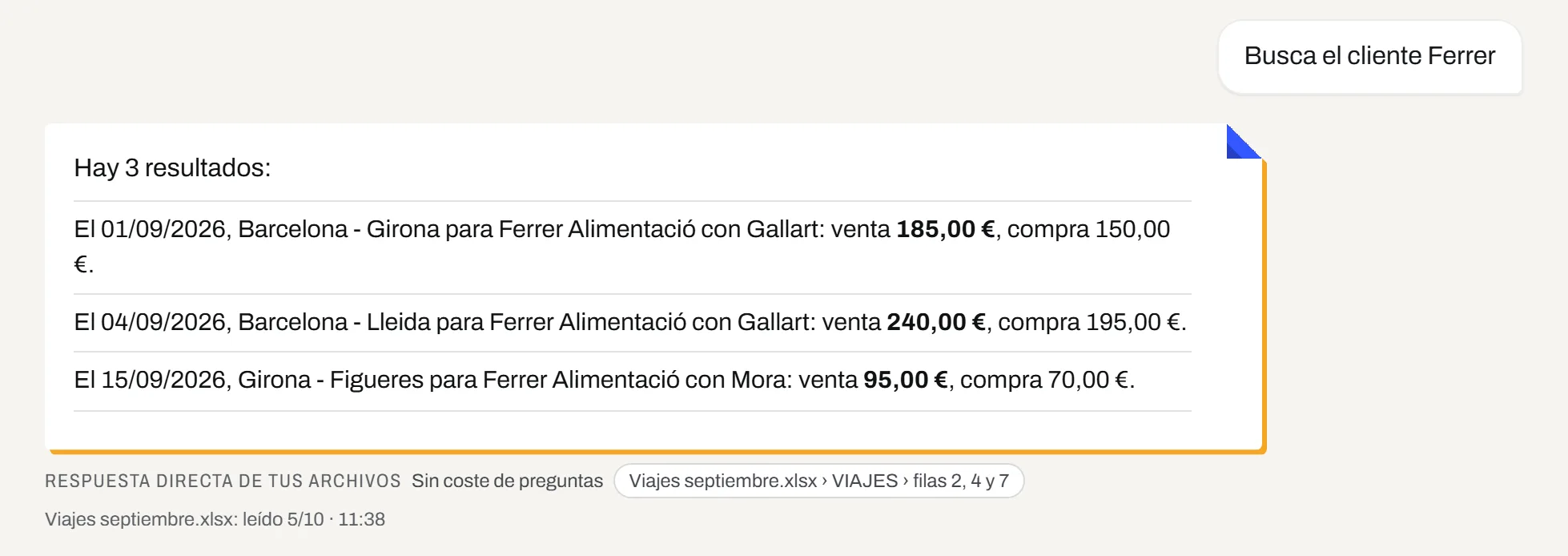
Screenshot of the app, in Spanish, with the same sample rows uploaded as a file of your own. -
If the source is old or failed, it warns you
Fold does not hide old data behind a clean answer. It gives the last thing it read successfully and says how recent it is.
- With a file that has not been updated
- “Ojo con la fecha. «Tarifas 2026.xlsx» puede estar desactualizado: la última lectura es del 21/08/2026, 11:39.” (Mind the date. “Tarifas 2026.xlsx” may be out of date: the last read was on 21/08/2026, 11:39.)
- With a read that failed
- “Dato no fiable. «Programa de tráfico» no es fiable ahora mismo: la última lectura falló […]. Lo que ves es lo último que se leyó bien, del 02/10/2026, 11:39.” (Unreliable data. “Programa de tráfico” is not reliable right now: the last read failed […]. What you see is the last thing that was read successfully, from 02/10/2026, 11:39.)
Available
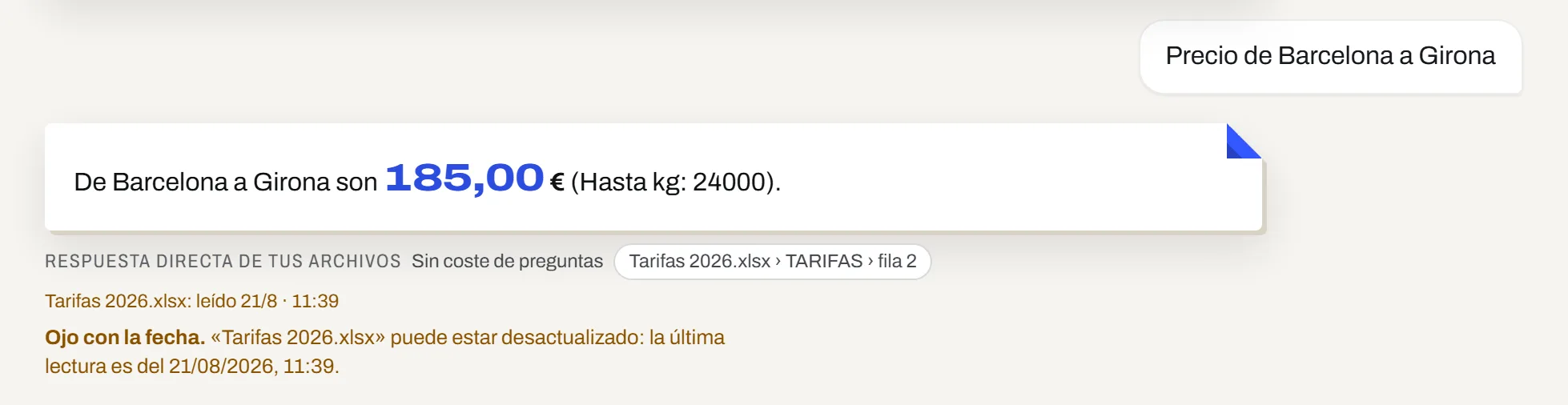
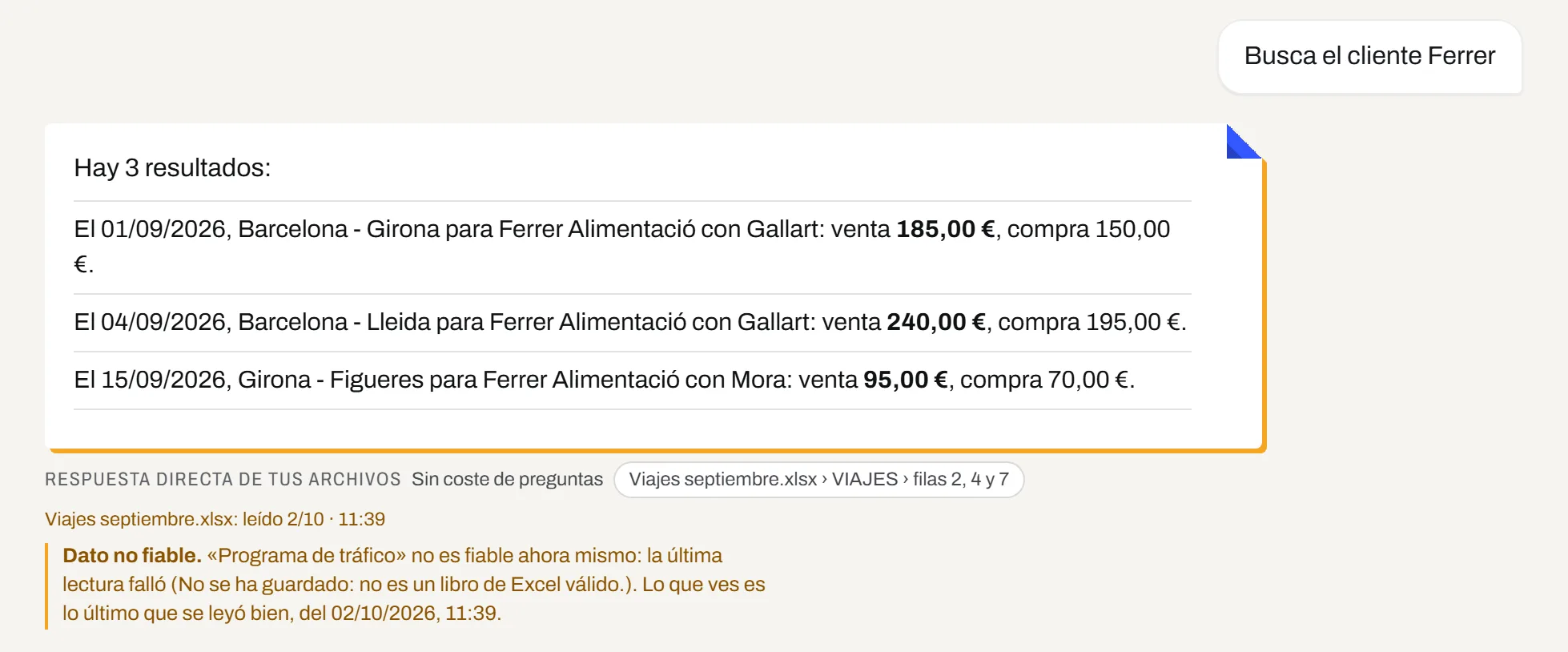
Screenshots of the app, in Spanish. Both states were triggered on purpose in order to photograph them; the warnings are written by Fold. -
An invoice read, waiting for a person
On the left, the document. On the right, what Fold has read, field by field and editable, and what is worth checking before approving. Nothing is approved on its own.
- What to check
- “Proveedor nuevo: es el primer documento de «Textiles Industriales Roquetas, S.L.» que aprobaríais. Comprueba que es quien dice ser antes de aprobarlo.” (New supplier: it is the first document from “Textiles Industriales Roquetas, S.L.” that you would approve. Check that they are who they say they are before approving it.)
- What it has read
- Type, number, date, total, issuer and recipient with their tax ID, taxable base, VAT and the lines with reference, quantity, price and amount.
- What the person decides
- Save changes, approve or discard.
Available · set up for you
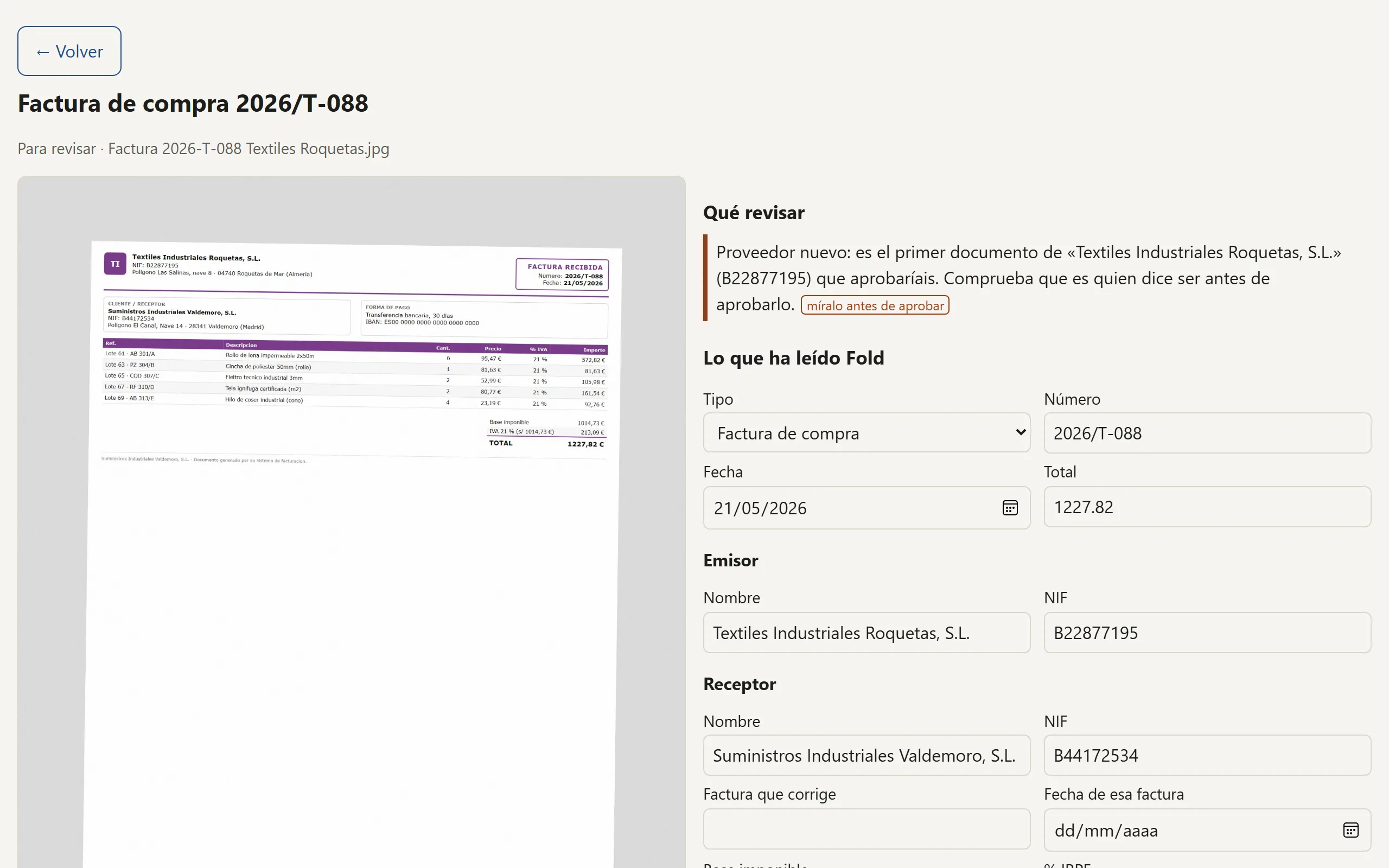
Screenshot of the review screen with a made-up invoice. In this screenshot the reading is simulated: reading with real documents is first used when each company is set up.


What this demonstration does not show
So that you know what you have seen and what you have not.
- Questions with AI
- Adding up, comparing two periods or crossing two tables is the AI’s work. The sample company answers direct lookups only, and there is no AI answer here.
- Your data
- Everything on this page is made-up data. With yours, the first time Fold suggests what each column is and waits for you to confirm.
- The other features
- Agenda, monthly dashboard, weekly report and alerts are in capabilities, each with its status.
Want to see it with a case like yours?
Tell us what you do and what takes up most of your time, and we will reply with what Fold would do with your data.
Your email has opened with the message written
It reaches us when you press “Send” in your email program. A person from the Fold team replies to the address you gave.
Nothing opened? Write to davidburnao@gmail.com with the same details, or .
Sign-up opens very soon
The day it opens you will register yourself, free and with no card, and a sample company from your sector will be waiting inside so you can ask your first question without uploading anything. Leave your email and we will let you know that day, once.

You're on the list.
The day sign-up opens in the app you will get one email, just one. In the meantime, have a look at everything Fold can do.
Is yours a large automation, one that connects to other systems or touches money or your customers’ data? Book a free 30-minute call.